Office Network Help
Network Support in Las Vegas, NV
Slow every day at 2 p.m.? That is a clue, not a mystery.
Network Support and Management for Las Vegas Businesses
Network support finds and fixes problems with a business's internet connection, Wi-Fi, firewall and switches, and network management keeps them updated and watched afterward. Managed IT Support Las Vegas arranges both. Email contact@manageditsupportlasvegas.com and describe the symptom.
Networks fail in patterns. Slow at the same hour daily. Fine at one desk, dead at the next. Everything drops when the microwave runs.
Patterns point at causes. An overloaded access point. A switch port going bad. A consumer router someone bought to save money, now serving 30 people.
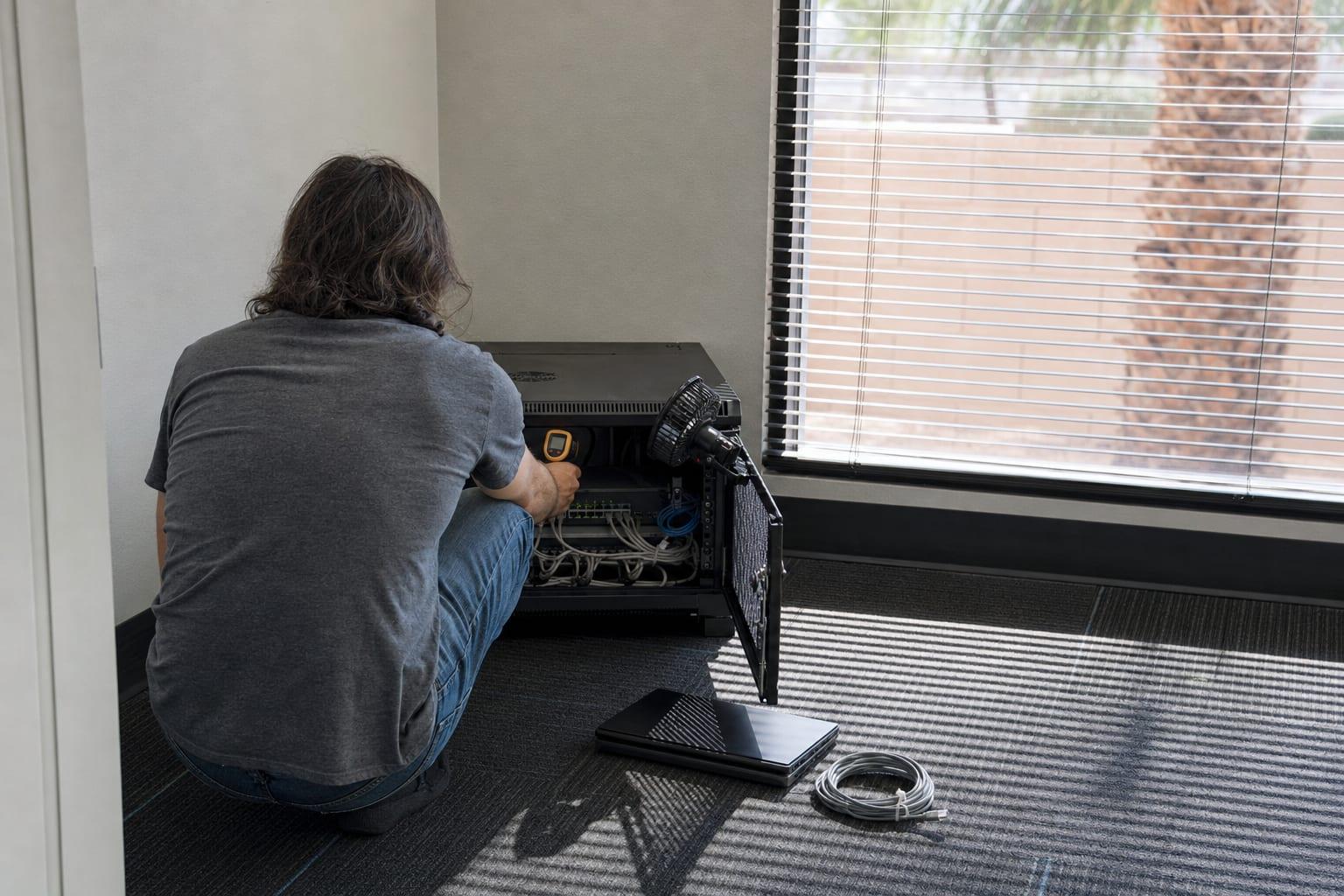
And here, heat. Network gear in an unventilated closet or above a ceiling in July runs hot, throttles and reboots. Nobody connects the afternoon outages to the thermometer.
Why Choose Us for Network Support?
Measured, Not Guessed
Signal strength, speed and error counts are recorded before anything is changed.
Business-Grade Gear
Recommendations skip consumer routers that cannot be monitored or patched properly.
Carrier Calls Handled
When the fault is on the provider's side, the evidence is gathered and the ticket is pushed for you.
A Map Left Behind
You receive a diagram of what plugs into what, with logins.

What Network Support Covers
The network is everything between your computers and the internet. Six pieces, each with its own way of failing.
Internet Circuit
Speed and uptime are measured so you know whether to blame the carrier or your own equipment.
Firewall
Firmware kept current, rules reviewed and remote access locked down.
Switches
Failing ports, loops and overloaded uplinks are found and replaced.
Wi-Fi Coverage
Access points are placed by survey, with channels set to dodge the neighbors.
Guest and Device Networks
Visitors, cameras and card readers are kept apart from office computers.
Closet Conditions
Temperature, airflow and battery backup are checked, since a cooked switch is a dead switch.
How Network Troubleshooting Works
Symptom and Timing
What fails, where and at what time of day.
Remote Check
Firewall and switch logs are read if they can be reached.
On-Site Testing
Cables, ports, signal and closet temperature are tested.
Fix or Quote
Simple faults are fixed then. Bigger ones get a written plan.
Monitor
The network is watched to confirm the fault stays gone.
Talk to a Las Vegas Managed IT Team
Where does it drop, and at what time of day?
Call (725) 338-8981Get a Free Quote
No obligation.
Network Support Pricing
| Type of Work | Price | Based On |
|---|---|---|
| Troubleshooting visit | Custom quote | Time to find the fault |
| Wi-Fi survey and redesign | Custom quote | Square footage and wall types |
| Ongoing network management | Custom quote | Number of devices monitored |
Hardware is extra and quoted by model. Be wary of any fix that begins with replacing everything. Usually one or two parts are the problem.
Network Support Questions
Why is my office Wi-Fi so slow?
Office Wi-Fi is usually slow for one of four reasons. Too few access points, poor placement, channel overlap with neighboring suites, or an internet plan the office has outgrown. A short survey with a signal meter identifies which one.
What is the difference between network support and network management?
Network support is fixing a problem after someone reports it. Network management is the ongoing work of monitoring equipment, applying firmware updates and reviewing settings so fewer problems occur. Most offices want both under one agreement.
How often should a business replace its firewall?
A business firewall should be replaced when the maker stops issuing security updates for it. Look up the model's end-of-support date, and plan the swap before it arrives. An unsupported firewall is an open door, however well it still runs.
More Ways We Help
- IT Support
- Small Business IT Support
- IT Company
- Managed IT Services
- IT Services
- Managed Service Provider
- Conference Room AV
- Cybersecurity
- Security Camera Installation
- IT Consulting
- Access Control
- Penetration Testing
- HIPAA Compliance
- Business Phone Systems
- Structured Cabling
- IT Help Desk
- Remote IT Support
- IT Onboarding and Offboarding
- Application Support
- Printer Support